How to Improve Bulk Messaging Using WhatsApp Business API Platforms
Your bulk WhatsApp campaigns get flagged as spam, ignored, or blocked outright. That happens when you broadcast without the right API platform, verified opt-ins, or approved templates behind you. Meta's quality rating system punishes every shortcut, and a downgraded sender reputation is hard to recover.
This article walks through the fundamentals that keep your number healthy, from building compliant opt-in lists to segmenting audiences and timing sends for real read rates. You will also see how to pair bulk broadcasts with chatbot flows, which metrics actually matter, and what to check before choosing a WhatsApp Business API platform. Com.bot's unified setup serves as one example along the way.
Why Bulk Messaging Fails Without the Right WhatsApp Business API Platform
Sending bulk messages through unofficial channels or a poorly configured WhatsApp Business API often triggers immediate account restrictions and erodes customer trust. An unverified bulk sender may promise quick reach, but the results are usually the opposite: filtered messages, damaged sender reputation, and frustrated recipients.
A compliant WhatsApp Business API platform works differently. It connects your business to Meta's official infrastructure, where every message passes through template approval and opt-in checks before it ever reaches a customer. That structure protects both the sender and the audience.
Without proper opt-in management, messages get flagged as spam. Quality ratings drop, deliverability falls, and in serious cases the phone number is banned entirely. Businesses relying on unauthorized sending methods can see deliverability suffer compared with compliant senders.
The right platform also matters for scale. Throughput limits, messaging tiers, and phone number quality ratings all shape how many messages you can send and how reliably they arrive. A properly configured Cloud API or On-Premises API setup keeps those limits predictable instead of unpredictable.
Compliance, scalability, and measurable results come from the same foundation: verified opt-in consent, approved message templates, and a platform built for high-volume messaging. Skip any one of these, and bulk messaging stops being a growth channel and starts being a liability.
Common Pitfalls: Spam Flags, Low Engagement, and Poor Segmentation
Three critical mistakes, ignoring opt-in consent, sending without approved templates, and blasting identical messages to all contacts, cause most bulk messaging failures. Each one compounds the others, and each one has a practical fix.
Spam flags are the first and most damaging pitfall. Sending unsolicited messages or using prohibited content leads to user reports and a falling phone number quality rating. Once that rating drops, Meta may throttle or pause your sending ability. The fix is straightforward: use double opt-in so every contact has clearly agreed to receive messages, and keep content within Meta's commerce and utility policy.
Low engagement is the second pitfall. Generic, untargeted broadcasts often produce low read rates and high block rates. When recipients block or report a business, the quality rating suffers further. Personalizing templates with names, order details, or relevant offers makes each message feel intentional rather than mass-produced.
Poor segmentation is the third pitfall. Failing to group audiences by behavior or demographics reduces relevance and conversions. A single list of every contact guarantees that most messages miss the mark.
- Segment by purchase history, location, or engagement level using CRM data
- Design separate templates for each segment instead of one catch-all message
- Use quick reply buttons, list messages, and call-to-action buttons to drive specific responses
- Track block rates and quality ratings per campaign, not just overall
Actionable fixes start with double opt-in, move through personalized template design, and end with CRM-driven list segmentation. A business solution provider or API platform that supports these workflows turns bulk messaging from a guessing game into a measurable channel. Providers such as Twilio, Infobip, 360dialog, MessageBird, WATI, and Gupshup all operate in this space, and the key is choosing one whose compliance tooling matches how your team actually sends.
Get the Fundamentals Right: Opt-Ins, Templates, and Quality Ratings
A high phone number quality rating is the gateway to higher throughput and lower costs, and it hinges on strict opt-in practices and template compliance. These three elements form the foundation of any successful bulk messaging strategy on the WhatsApp Business Platform.
WhatsApp assigns each business phone number a quality rating based on how recipients respond to the messages they receive. The rating appears as Green, Yellow, or Red, and it directly influences your messaging tiers, which determine how many unique customers you can message in a rolling 24-hour period.
A Green rating signals that users are engaging positively, blocking rarely, and reporting infrequently. That status unlocks higher throughput limits and keeps your costs predictable. A Red rating, by contrast, can restrict or pause your ability to send at scale.
Opt-in consent and template adherence are the two levers that keep a rating healthy. Without documented permission, even well-crafted messages can trigger blocks and reports. Without approved templates, messages simply will not send through the API.
Think of the relationship this way:
- Opt-in consent ensures you only message people who want to hear from you
- Approved templates ensure your content meets WhatsApp's formatting and category rules
- Quality ratings reflect how recipients react, and they gate your sending capacity
Neglect any one pillar, and the other two suffer. A purchased list destroys your rating. A rejected template stalls your campaigns. A Red rating shrinks your reach until you rebuild trust. The subsections below break down each pillar in practical detail.
Building Compliant Opt-In Lists That Protect Your Sender Reputation
Every contact on your list must have explicitly agreed to receive messages from your business via WhatsApp, and you must be able to prove it. WhatsApp's Business Policy requires opt-in before sending any template message, so consent is not optional.
Collect opt-ins through channels where users already interact with your brand. Common approaches include:
- Checkbox forms on your website during checkout or account creation
- A WhatsApp button placed on landing pages or product pages
- In-store sign-ups at point of sale or via QR codes
- Click-to-chat links in email signatures or social profiles
Double opt-in raises list quality further. After a user submits their number, send a confirmation message asking them to reply or tap a button. Only those who confirm get added to your broadcast messaging audience.
Use clear, compliant opt-in language. A simple statement works well: "I agree to receive WhatsApp messages from [Business] at this number." Avoid pre-checked boxes or bundling consent with unrelated terms.
Store consent records with timestamps, the source of the opt-in, and the exact wording the user agreed to. If WhatsApp or a business solution provider (BSP) requests verification, you need this documentation ready.
Never use purchased or scraped lists. These contacts have not agreed to hear from you, and messaging them typically leads to high block rates, user reports, and immediate bans. The short-term reach is never worth the long-term damage to your sender reputation.
Using Approved Message Templates and Personalization Variables Effectively
Templates must be pre-approved by WhatsApp, and they allow dynamic variables like {{1}} for personalization, but misuse can lead to rejection or poor performance. The template approval process is straightforward but demands attention to detail.
Submit templates through the API or your BSP's dashboard. Review usually takes minutes to hours. WhatsApp sorts templates into categories: marketing, utility, and authentication. Each category carries different expectations and pricing.
To improve approval odds, follow these practices:
- Avoid promotional language in utility templates, which should focus on transactions or account updates
- Include clear opt-out instructions where appropriate
- Keep variables at the end of the message body rather than scattered throughout
- Match the template category to the actual purpose of the message
Personalization transforms a generic blast into a relevant message. Compare a vague broadcast to this: "Hi {{1}}, your order #{{2}} has shipped!" The second version uses variables to deliver specific, useful information.
Template quality feeds directly into your phone number quality rating. If recipients block or report messages sent from a particular template, WhatsApp may pause that template's usage. Monitoring block rates per template helps you catch problems early.
Keep template copy concise, use rich media like images or documents when they add value, and test variations to see what resonates. A template that earns engagement supports your rating. One that annoys recipients erodes it.
Segment Your Audience for Higher Relevance and Response Rates
Segmenting your WhatsApp audience by purchase history, location, or engagement level can improve response rates compared to untargeted broadcasts. When every recipient receives a message that feels written for them, relevance replaces noise. That shift matters even more on the WhatsApp Business API, where message quality shapes your phone number quality rating and long-term sending capacity.
The WhatsApp Business Platform encourages businesses to treat bulk messaging as a conversation, not a megaphone. Segmented sends produce fewer blocks and reports, which helps protect your phone number quality rating and keeps your messaging tiers healthy as volume grows. In practice, segmentation is the difference between a broadcast that gets muted and one that gets answered.
You can build segments from three practical sources, often combined:
- CRM data: purchase history, lifetime value, location, demographics, and opt-in consent records.
- WhatsApp labels: manual or automated tags applied inside the business inbox, such as "VIP," "lead," or "support pending."
- Chatbot interactions: quick reply buttons, list messages, and call-to-action buttons that reveal intent in real time.
Each source answers a different question. CRM data tells you who the customer is, labels tell you where they stand right now, and chatbot taps tell you what they want next. Together they form segments you can act on immediately.
Useful segmentation criteria for bulk messaging include:
- Demographics: age, gender, or language preference, which shape tone and product framing.
- Past purchases: category, season, or spend level, which guide cross-sell and replenishment offers.
- Cart abandonment: shoppers who added items but did not check out, ideal for a gentle reminder template.
- Message engagement: contacts who click quick reply buttons or open templates versus those who stay silent.
- Location and order frequency: especially valuable for restaurants and local services.
Two examples show how this plays out. A fashion brand might split contacts by gender and by last season's purchases, then send one template featuring new arrivals in the category each person actually bought before. A restaurant could segment by delivery area and order frequency, sending a weekday lunch offer only to nearby regulars instead of the entire contact list.
Once segments exist, the WhatsApp Business API lets you map a different approved message template to each one. A cart abandonment segment receives a reminder template with a call-to-action button. A VIP segment receives early access messaging with an image or rich media attachment. A quiet segment might receive a single re-engagement template before being set aside.
This is where template approval and opt-in consent work in your favor. Templates are reviewed by Meta before sending, so a clear, segment-specific template tends to pass review more smoothly than a vague one. And because every segment already opted in, your sends stay compliant while feeling personal.
Platforms in this category, including options like Twilio, Infobip, 360dialog, WATI, and Gupshup, generally support tagging, inbox organization, and chatbot flows that feed segmentation. Com.bot's unified inbox and bot builder can tag contacts based on interactions, which is the type of capability to look for when comparing tools. The practical test is simple: can the platform turn a chatbot tap or inbox reply into a label, and can that label then drive a different template? If yes, your bulk messaging becomes targeted by default.
Start with two or three segments rather than twenty. Measure response rates per segment, retire the ones that underperform, and refine the rest. Over time, segmentation compounds: better relevance leads to better engagement, and better engagement protects the sending reputation your high-volume messaging depends on.
Timing, Frequency, and Deliverability: What Actually Drives Read Rates
Sending at the right time and frequency can improve read rates, but exceeding limits can throttle your entire operation. On the WhatsApp Business Platform, deliverability is not just about whether a message arrives. It is about whether the recipient opens it, engages with it, and refrains from blocking your number.
Three levers control most of this outcome: when you send, how often you send, and how Meta's quality systems rate your number. Get these right and bulk messaging performs well. Get them wrong and even approved message templates start underperforming.
Timing: match the recipient's clock, not yours. Send during business hours in the recipient's timezone. For B2B audiences, avoid weekends entirely. A Monday morning message that lands at 3 a.m. local time reads as spam, no matter how relevant the content is.
Practical timing rules that hold up across most campaigns:
- Send between 9 a.m. and 6 p.m. in the recipient's local timezone.
- Avoid weekends for B2B. Consumer brands can test Saturdays but should watch opt-out rates closely.
- Skip the first hour of the workday and the lunch hour, when inboxes and notifications compete hardest.
- For time-sensitive updates like order or delivery alerts, timing rules relax because the message is expected.
Frequency: fewer messages, better results. A common guideline is no more than two to three marketing messages per week. Beyond that, opt-outs climb and block rates rise. Utility messages tied to a transaction, such as shipping updates or appointment reminders, sit outside that marketing cap because recipients expect them.
Segment your list so high-engagement users are not treated the same as dormant contacts. A contact who has not opened anything in months should receive less, not more. Opt-in consent quality matters here too. Lists built from clear, recent consent tolerate higher frequency than lists assembled from scraped or vague sources.
Messaging tiers: how WhatsApp scales your sending. Meta assigns each phone number a tier that caps how many unique recipients you can message in a rolling 24-hour window. The tiers scale upward as your volume and quality hold steady:
| Tier | Unique recipients per 24 hours |
|---|---|
| Starter | 1,000 |
| Growing | 10,000 |
| Established | 100,000 |
| Unlimited | No fixed cap |
Tiers rise automatically when you consistently send to a meaningful share of your limit while maintaining a healthy phone number quality rating. They can also drop. A high block rate or a flood of user reports will pull your tier down, sometimes within a single day.
Deliverability tactics that protect your tier. Warm up a new number gradually. Start with your most engaged contacts, then expand as the quality rating holds. Jumping straight to the full tier limit on day one is a common cause of early throttling.
Monitor your quality rating inside WhatsApp Manager and treat any dip as a signal to pause and diagnose. Check whether recent templates triggered blocks, whether send times drifted, or whether a list segment went stale.
Rich media raises engagement, which raises deliverability. Interactive messages with quick reply buttons and call-to-action buttons invite a tap instead of a scroll-past. List messages organize choices cleanly. Image, video, and document sharing give recipients a reason to open rather than ignore.
Engagement feeds back into the system. More replies, taps, and reads correlate with a stronger quality rating, which supports tier growth, which supports higher-volume messaging. The loop runs in both directions, so treat every send as either protecting or eroding your standing.
Automate Follow-Ups and Two-Way Conversations at Scale
Automation turns one-way broadcasts into engaging two-way conversations, increasing response rates and reducing manual workload. A standard broadcast ends the moment the message is delivered. An automated follow-up keeps the exchange alive by reacting to what the recipient actually does next.
With the WhatsApp Business API, every incoming reply can trigger a webhook that notifies your system in real time. That notification becomes the starting point for an automated response, whether it is a confirmation, a question, or a handoff to a human agent.
This approach delivers three practical gains:
- Round-the-clock engagement. Replies are acknowledged instantly, even outside business hours.
- Faster responses. Customers get answers in seconds instead of waiting in a queue.
- Scalable personalization. The same flow can branch differently for thousands of recipients based on their input.
Timing matters when you design follow-ups. A reply to a broadcast opens a customer service window, which allows free-form messages rather than approved templates. Planning flows around that window helps you respond naturally without hitting template restrictions.
The result is a messaging program that behaves less like a megaphone and more like a conversation. The next step is deciding how those conversations should actually branch.
Combining Bulk Broadcasts with Chatbot Flows and Smart Routing
A bulk broadcast can include quick reply buttons that trigger a chatbot flow, guiding users to make a purchase or get support without human intervention. The broadcast earns the click. The chatbot handles everything after it.
Interactive messages are the building blocks of these flows. Quick reply buttons work well for simple choices, while call-to-action buttons suit links and payments. List messages help when you need to present several options without cluttering the screen.
A typical flow might look like this:
- A broadcast announces a new product with two buttons, Buy Now and Learn More.
- Tapping Buy Now routes the user into a payment or checkout flow.
- Tapping Learn More delivers a short video or product page.
- No response triggers a gentle reminder after a set interval.
Smart routing extends the same logic across your organization. Based on the reply, the flow can send a hot lead to sales, a complaint to support, or a common question to an FAQ response. Each path keeps the customer moving instead of stalling.
Visual bot builders make this accessible without coding. A drag-and-drop interface lets teams map buttons, branches, and handoffs on a canvas, then adjust them as real conversations reveal gaps. When evaluating platforms, look for builders that support interactive message types, conditional branching, and clean escalation to a human agent.
Start with one broadcast and one flow. Measure where users drop off, refine the branches, then expand. Small, tested flows scale far better than elaborate ones launched blind.
Measure, Test, and Optimize Every Campaign
Without rigorous measurement, you're guessing; tracking delivery, read, click, and conversion rates is essential to improve ROI. Bulk messaging on the WhatsApp Business API gives you something most channels cannot: a detailed record of what happened after every send. That data turns a broadcast into a feedback loop.
Each campaign produces signals about your audience, your templates, and your timing. When you review those signals consistently, you stop repeating mistakes and start compounding small gains. Data-driven optimization is what separates teams that scale responsibly from those that burn through phone number quality ratings.
The process is straightforward. Collect the numbers, form a hypothesis about what could improve, test it on a small slice of your audience, then apply the winning version to future sends. The WhatsApp Business Platform supports this cycle because every message generates trackable events.
Platforms built on the Cloud API or On-Premises API can surface these events through webhooks, which feed dashboards or CRM systems. A business solution provider such as Twilio, Infobip, 360dialog, MessageBird, WATI, or Gupshup typically handles this plumbing, so your team can focus on decisions rather than data collection.
Treat optimization as an ongoing habit, not a one-time project. Messaging tiers, template approval rules, and customer expectations all shift over time, and your benchmarks should shift with them.
Key Metrics: Delivery, Read, Click, and Conversion Rates
Delivery rate measures how many messages reached devices, read rate shows engagement, click rate indicates interest, and conversion rate ties to revenue. Together they form a funnel that tells you exactly where a campaign loses momentum.
Each metric is calculated as a simple ratio. Divide the number of messages delivered by the number sent to get delivery rate. Divide reads by deliveries for read rate, clicks by reads for click rate, and conversions by clicks for conversion rate.
Benchmarks give you a reference point, though results vary by industry and audience. A delivery rate above 95 percent is generally considered healthy. Read rates of 40 to 60 percent are common for marketing messages, click rates of 10 to 20 percent signal strong interest, and conversion rates of 2 to 5 percent are a reasonable target for many campaigns.
If delivery rate drops, investigate phone number quality rating and opt-in consent hygiene first. A low read rate usually points to weak template copy or poor send timing. Weak clicks suggest the call-to-action buttons or quick reply buttons are not compelling. Low conversions often trace back to a mismatch between the message promise and the landing experience.
A/B testing reveals what actually resonates. Test one variable at a time: different message templates, send times, audience segments, or interactive message formats such as quick reply buttons versus call-to-action buttons.
- Define a clear hypothesis, such as "a shorter template will lift read rate."
- Split your audience into two comparable groups.
- Run the test with everything else held constant.
- Analyze results against your baseline metrics.
- Implement the winning version across future sends.
Analytics dashboards offered by WhatsApp Business API platforms typically track these metrics in real time, which shortens the gap between a send and a decision. Review results weekly, keep a log of what you tested, and let each campaign inform the next. Over time, this discipline improves delivery, deepens customer engagement, and supports conversational commerce that feels relevant rather than intrusive.
Choosing a WhatsApp Business API Platform That Supports Scale
Not all API platforms are created equal; the right one must offer scalability, reliability, and compliance to handle high-volume messaging. The WhatsApp Business Platform is built for scale, but the platform you choose as your gateway determines how smoothly that scale actually works.
Start with official BSP status. A verified business solution provider connects directly to Meta's infrastructure and can guide you through template approval, opt-in consent rules, and messaging tier upgrades. Working with an unofficial provider risks account bans and delivery failures.
Next, examine uptime SLA and throughput limits. A platform should publish a clear service level agreement and explain how it handles messaging tiers, rate limits, and phone number quality rating changes. If throughput caps out during peak broadcasts, your bulk messaging stalls.
Pricing models vary widely. Some providers charge per conversation, others add markup on top of Meta's rates, and some bundle platform fees with support. Compare total cost at your expected volume, not just the entry price.
- Support: response times, onboarding help, and technical escalation paths
- Multi-channel support: whether WhatsApp sits alongside other messaging channels
- API integration: webhook reliability and compatibility with your existing stack
Platforms such as Twilio, Infobip, 360dialog, MessageBird, WATI, and Gupshup each take different approaches to these criteria. Some lean toward developer tooling, others toward no-code interfaces. The right fit depends on your team's technical capacity and how much of the workflow you want managed for you.
What Com.bot Offers for Bulk Messaging and Multi-Channel Automation
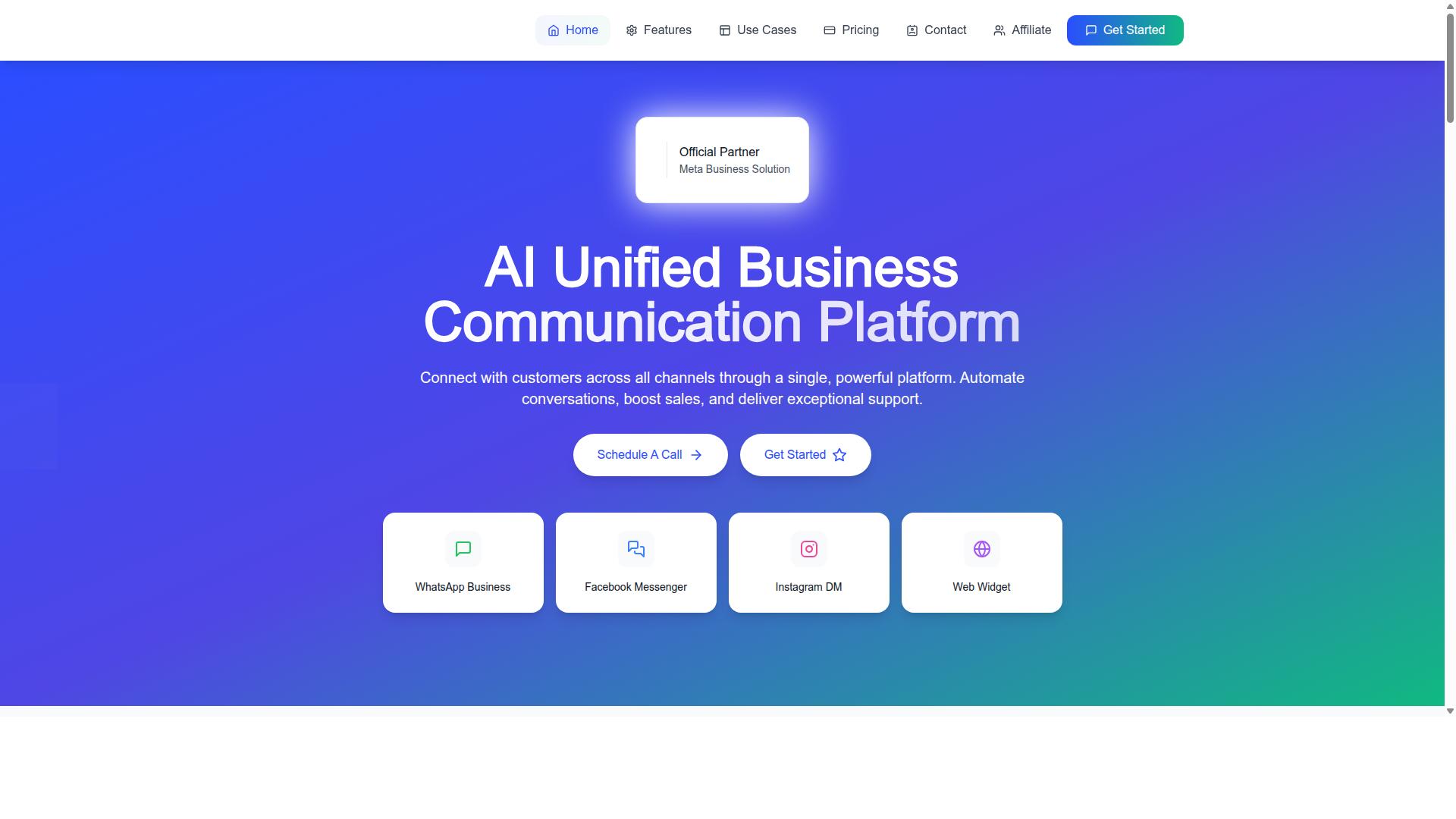
Com.bot is an AI Unified Business Communication Platform that connects WhatsApp, Facebook Messenger, Instagram DM, and Web Widget into a single interface for seamless bulk messaging and automation. It operates as an Official Meta Business Partner, which matters for compliance and reliable API access.
For scale, the platform processes 25M+ messages per day and serves 23,000+ active customers, including 100+ government bodies and 500+ global partners. That track record speaks to handling high-volume messaging without throttling during peak sends.
Core capabilities include:
- Unified team inbox for managing conversations across channels in one place
- Visual bot builder for automated replies and chatbot flows
- Native payments to support conversational commerce
- Multi-channel support spanning WhatsApp, Messenger, Instagram DM, and Web Widget
- Enterprise security with end-to-end encryption
- Real-time message delivery and quick setup and integration
Bulk messaging on Com.bot works alongside segmentation and automation, so broadcasts reach the right audience while staying compliant with opt-in consent and template rules. The platform also applies no markup on WhatsApp conversations, which keeps high-volume costs predictable.
Pricing runs across three plans: Silver at $149 per quarter, Gold at $349 per quarter, and Platinum at $2,500 per quarter, with add-ons available for additional needs. Teams can contact sales to evaluate fit before committing.