How Customer Support Teams Should Evaluate WhatsApp Business API Platforms for Bulk Messaging
Your support team is about to send its first bulk WhatsApp campaign. One bad template or a slipping quality rating can cut your messaging limits before the replies even arrive.
This article gives you a scoring framework for evaluating WhatsApp Business API platforms as a support tool, not just a broadcast tool. You will learn how to weigh compliance and deliverability, rate limits, template and opt-out handling, unified inbox routing, bot handoff, CRM and ecommerce integration depth, and pricing models, then run a pilot before you commit.
Why Bulk Messaging Evaluations Differ for Support Teams
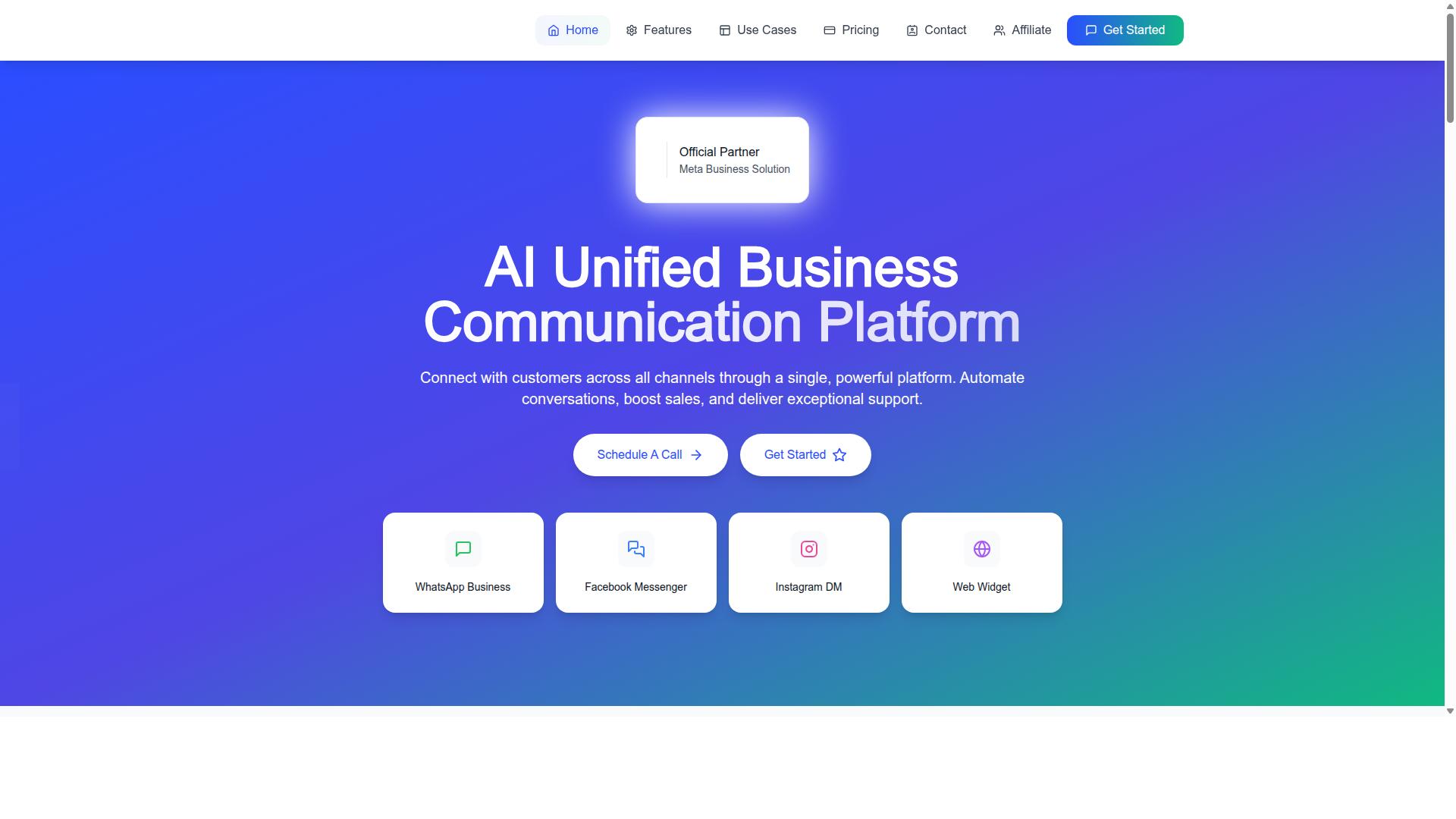
Support teams evaluating bulk messaging platforms face a distinct set of priorities compared to marketing or sales teams, because their success is measured by resolution speed, CSAT, and compliance, not just campaign reach.
A marketing team might judge a WhatsApp Business API platform by how many promotional templates it can push out in a week. A support team lives inside the same tool all day, answering individual customers between scheduled sends. The platform has to serve both jobs at once.
Consider a realistic scenario. An e-commerce support desk sends order updates through utility templates while its agents handle inbound queries in the same window. If the bulk tool and the inbox live in separate systems, agents lose conversation history the moment a customer replies to an automated update.
That fragmentation is the core risk. Support evaluations therefore weigh four things heavily:
- 24/7 reliability, since order updates and delivery alerts cannot pause overnight
- Agent routing, so replies land with the right person or queue
- Conversation history, keeping template sends and 1:1 chats in one thread
- Policy adherence, because a banned number halts every outbound message at once
Marketing-led reviews often stop at throughput and price per message. Support-led reviews ask whether the platform can absorb a spike in inbound volume without dropping the bulk queue, and whether the 24-hour customer service window is tracked correctly for every contact.
Platforms built for both workloads avoid the split. Com.bot, an official Meta Business Partner, processes 25M+ messages per day, a scale that reflects combined bulk and conversational traffic rather than campaign sends alone. For support leaders, the test is simple: one tool, one thread, no lost context.
Compliance, Deliverability, and the Official Meta Partner Question
Compliance is non-negotiable: platforms that cut corners on opt-in management or template approval will eventually get your WhatsApp number quality rating slashed or banned.
Start with official Meta BSP status. A WhatsApp Business Solution Provider with direct API access gives you better deliverability, clearer policy guidance, and a real escalation path when a template is rejected. Ask every vendor for their Meta partner ID, then confirm it in the official Meta partner directory before signing anything.
Next, audit opt-in. User consent must be captured, timestamped, and tied to a specific sign-up flow. If a vendor cannot show you where consent is stored and how it is exported, treat that as a red flag.
Template approval is the third checkpoint. Message categorization matters: utility templates, authentication templates, marketing templates, and customer service templates each follow different review paths. A streamlined approval process with pre-approved categories keeps your order updates flowing without repeated rejections.
Finally, deliverability rides on your phone number quality rating. User blocks and reports drag that rating down, which shrinks your messaging limits. The table below summarizes what is at stake.
| Risk Area | Official Meta BSP | Non-BSP or Unofficial Provider |
|---|---|---|
| API access | Direct, supported connection | Often indirect or unstable |
| Template approval | Guided, category-aware process | Unclear or manual workarounds |
| Number quality rating | Policy support to protect it | Higher ban risk, little recourse |
| Messaging limits | Grows with healthy quality status | Can stall or reset unexpectedly |
| Policy changes | Advance notice and guidance | Discovered after the fact |
Com.bot holds official Meta Business Partner status and serves 100+ government bodies and 23,000+ active customers, segments where compliance failures carry outsized consequences. Enterprise security with end-to-end encryption rounds out the requirements most support teams cannot compromise on.
One practical note on billing: understand whether the vendor uses conversation-based pricing or per-message billing, and whether they add a markup on WhatsApp conversations. Com.bot charges no markup on WhatsApp conversations, which keeps cost forecasting tied to Meta's own rates rather than a reseller layer.
Core Criteria Support Teams Must Score Every Platform Against
To objectively compare bulk messaging platforms, support teams need a weighted scoring rubric that reflects their unique operational demands, beyond generic feature lists. A rubric forces every stakeholder to agree on what matters most before vendor demos begin, which reduces the risk of choosing a platform based on a polished sales pitch.
Six criteria cover the areas that most often determine long-term success with the WhatsApp Business API:
| Criterion | Default Weight | What It Measures |
|---|---|---|
| Throughput & Rate Limits | 25% | Messages per second, tiered messaging limits, load balancing options |
| Template & Opt-Out Management | 20% | Template approval workflows, consent tracking, quality rating protection |
| Unified Inbox & Routing | 20% | Agent assignment, queue logic, conversation history, 24-hour window tracking |
| Integrations | 15% | CRM, help desk, and analytics connections |
| Pricing Transparency | 10% | Conversation-based pricing clarity, per-message billing, hidden fees |
| Security & Compliance | 10% | Opt-in compliance, data handling, audit logs, Meta policy alignment |
These weights are a starting point, not a fixed formula. A small support team sending a few thousand messages a month may care more about inbox usability than raw throughput, while a large retailer running frequent campaigns should raise the throughput and template weights. Industry matters too: regulated sectors such as finance and healthcare often push security and compliance higher.
Score each platform on a simple scale, such as one to five, then multiply by the weight to get a weighted total. A downloadable scoring sheet with these columns, plus space for notes and evidence, keeps the evaluation consistent across reviewers.
The bigger benefit is alignment. When sales, support, and IT all score vendors against the same rubric, decisions rest on documented priorities rather than the loudest voice in the room or the most impressive demo.
Throughput, Rate Limits, and Real-Time Delivery at Scale
Throughput determines how quickly your bulk messages reach customers, but it's governed by tiered limits that scale with your phone number's quality rating and messaging history. Meta starts most business numbers at a limit of 1,000 messages per day, then moves them up to 10,000, 100,000, and eventually unlimited as volume grows and the quality status stays healthy.
Raw throughput is usually measured in messages per second, not per day. To estimate what your team needs, divide peak hourly volume by 3,600. For example, a campaign that must reach 36,000 customers within one hour requires roughly 10 messages per second. If the platform cannot sustain that rate, the send stretches out and customers receive messages late.
Platforms can improve throughput in several ways:
- Sending across multiple phone numbers to spread load
- Load balancing between numbers automatically
- Queue management that prioritizes time-sensitive template messages
Watch for platforms that impose their own rate limits on top of WhatsApp's tiers. A vendor cap of a few messages per second can quietly become your real ceiling, no matter what your messaging quota allows.
Before committing, run a pilot. Send a realistic batch through the platform and measure actual delivery times under load, not just the numbers quoted in a sales deck. Pilot results reveal how the platform behaves when it matters most.
Template Management, Opt-Out Handling, and Quality Rating Protection
A single poorly managed template or ignored opt-out request can tank your quality rating, so the platform must provide robust tools for template lifecycle management and consent tracking. Evaluate vendors across three connected areas.
Template management. Look for a centralized library where message templates are stored, versioned, and tracked through template approval. Each template should show its status, category (marketing, utility, authentication, or customer service), and performance analytics such as delivery and read rates. Platforms with A/B testing and automated compliance checks help teams catch policy issues before submission.
Opt-out handling. Consent is not optional. The platform should detect keywords like STOP automatically, add users to suppression lists immediately, and keep audit logs that show when consent was given or withdrawn. Without this, opt-in compliance becomes a manual, error-prone process.
Quality rating protection. Real-time monitoring of quality status, alerts when ratings dip, and clear remediation workflows let teams react before messaging limits are reduced.
Common pitfalls are easy to spot in hindsight. Sending marketing templates to users who already opted out, or slipping promotional language into utility templates, are two of the fastest ways to trigger complaints and lower a phone number quality rating. A platform that flags these risks before send, rather than after, earns its place in the rubric.
Unified Inbox and Agent Workflow: Where Bulk Messaging Meets Daily Support
Bulk messaging doesn't end when the campaign is sent-it triggers a wave of responses that must be seamlessly routed to agents within a unified inbox to maintain context and speed.
A unified inbox aggregates WhatsApp, Facebook Messenger, Instagram DM, and web chat into one interface. Instead of juggling multiple tabs and apps, agents see every conversation in a single queue. For customer support teams evaluating WhatsApp Business API platforms, this is often the difference between a manageable workflow and daily chaos.
The inbox must handle both proactive bulk messages and reactive conversations. A marketing template goes out to thousands of users, and replies start flowing in. Those replies are session messages that fall within the 24-hour customer service window, so agents need to respond quickly while the window is open.
Key features to look for include:
- Conversation threading: Groups related messages so agents see the full history at a glance.
- Customer history: Shows past orders, previous tickets, and prior WhatsApp interactions.
- Internal notes: Lets agents leave context for teammates without the customer seeing it.
- Collision detection: Alerts agents when another team member is already responding to the same contact.
Without a unified inbox, agents toggle between tabs, losing context and increasing resolution time. Platforms like Com.bot offer a Unified Team Inbox with role-based access, which helps support teams stay organized as message volume grows.
Routing Bulk Replies to the Right Agent Without Losing Context
When a bulk campaign generates hundreds of replies, intelligent routing ensures each conversation lands with the agent best equipped to resolve it-without losing the original message context.
Routing strategies vary based on team size and campaign type. Common approaches include:
- Round-robin: Distributes conversations evenly across available agents.
- Skills-based: Sends billing questions to finance-trained agents and technical issues to product specialists.
- Language-based: Matches customers with agents who speak their language.
- Priority-based: Escalates high-value or urgent conversations to senior staff first.
Linking bulk message responses to the original campaign is critical for context. Tagging each conversation with a campaign ID lets agents see which template message triggered the reply. Platforms can also auto-assign based on keywords or customer attributes.
Consider a shipping delay notice sent via utility template. Replies flood in, many asking "where is my order." Routing rules can detect that phrase and send those conversations directly to order support agents, who already have tracking tools open.
Manual assignment breaks down in high-volume scenarios. When hundreds of replies arrive within minutes, someone has to triage every single one. That delay pushes conversations closer to the edge of the 24-hour customer service window, and response quality suffers.
Automation and Bot Handoff for High-Volume Campaign Responses
Automation is essential to handle the initial surge of responses, but the handoff to human agents must be smooth and context-rich to avoid frustrating customers.
A three-stage approach works well for most support teams:
- Bot handles FAQs and collects intent: The bot answers common questions, gathers order numbers, and identifies what the customer needs.
- Bot escalates to a human: Triggers include negative sentiment, complex queries, or repeated failed attempts to resolve the issue.
- Agent receives full context: The conversation transcript, customer details, and suggested replies appear before the agent types a word.
Best practices for handoff include setting clear triggers, such as escalating after two failed bot attempts. Typing indicators keep the customer informed that a human is joining. Agents should also be able to review bot interactions to understand what was already discussed.
Visual bot builders with drag-and-drop interfaces let support teams create these flows without writing code. Com.bot offers a Visual Bot Builder alongside an Automation Builder with 1000+ integrations, which means teams can connect the tools they already use.
When evaluating WhatsApp Business API platforms, ask how the bot handoff works in practice. Does the agent see the full transcript? Can the bot pass structured data like order numbers or issue categories? Platforms that treat automation and human support as separate systems create friction. The best ones make the transition invisible to the customer.
Integration Depth: CRM, Ecommerce, and Order Update Workflows
Bulk messaging platforms must integrate deeply with your CRM and ecommerce systems to trigger personalized order updates and sync conversation data back to customer profiles. Integration depth is one of the clearest ways to separate a platform built for real support operations from one that only sends messages. A shallow connection forces agents to copy data between tools, while a deep one keeps every conversation tied to the customer record.
During platform evaluation, map your existing stack first. List the systems your customer support teams touch daily, then check how each candidate connects to them. Three integration categories matter most.
- CRM systems such as Salesforce, HubSpot, or Zoho, used to sync contact details, conversation history, and support tickets.
- Ecommerce platforms such as Shopify, WooCommerce, or Magento, used for order confirmations, shipping updates, and abandoned cart recovery.
- Custom systems reached through webhooks and REST APIs when you run proprietary software.
Consider a practical example. When an order ships, the ecommerce platform fires an event, the WhatsApp Business API platform catches it, and a utility template message goes out with the tracking link. The customer gets the update in the same channel they already use. No agent has to check a dashboard or paste a number by hand.
Com.bot approaches this through an Automation Builder with 1000+ integrations, alongside Order Updates and External Integration capabilities. Those features matter because they determine whether order events can flow into WhatsApp automatically rather than through manual work.
Next, weigh native integrations against Zapier-style connectors. Native connections usually sync faster and handle more fields, while connector-based setups are quicker to launch but can break when either side changes its API. Ask one blunt question: does the platform support bi-directional sync? If conversation history and ticket status flow only one way, your CRM record stays incomplete.
Poor integrations create two predictable problems. Data silos leave agents without context, so customers repeat themselves. Manual work piles up in the form of exports, imports, and copy-paste updates. Both erode response quality as bulk messaging volume grows. Test each integration path with a real order and a real contact before you commit.
Pricing Models: Per-Conversation Markups vs. Flat Subscription Plans
Bulk messaging pricing models vary widely, and support teams must understand whether they pay per conversation, per message, or a flat subscription, and how markups affect total cost. The two dominant structures are per-conversation markups and flat subscription plans, with hybrid models appearing more often as platforms mature.
Under a per-conversation markup model, the platform passes through Meta's conversation-based pricing and adds a margin on top. A common structure is a small fee per conversation, such as a fraction of a cent, layered over the BSP rate. Because WhatsApp charges by category, marketing templates, utility templates, authentication templates, and customer service templates each carry different rates, the markup can compound differently depending on message mix.
The upside is that you only pay for what you send. The downside is unpredictability. A spike in marketing templates or an increase in session messages inside the 24-hour customer service window can push monthly spend well past forecast.
A flat subscription model charges a fixed monthly or quarterly fee that includes a message quota. Costs stay stable, which makes budgeting easier for support teams with steady volume. The tradeoff is that low-volume months still cost the same, and overage charges can apply once you exceed the included quota.
Hybrid models blend both: a base subscription covering a set quota, plus per-conversation fees beyond that threshold. This suits teams with seasonal peaks, but the fine print matters. Ask whether the quota resets monthly or quarterly, and whether unused messages roll over.
Consider a support team sending 50,000 messages per month. If a platform charges a $0.005 markup per conversation, that adds roughly $250 monthly on top of Meta's base rates, before any add-ons. A flat plan with a comparable quota might quote a single predictable figure, but only if 50,000 messages fit inside the included allowance. Run both numbers against your actual category mix.
Watch for hidden fees. Common ones include:
- Setup or onboarding fees
- Overage charges when volume exceeds the quota
- Add-on charges for extra team seats, channels, or automation actions
- Charges for dedicated support hours
Request a detailed pricing sheet in writing before committing. Then model costs at two and three times your expected volume. If the numbers stay workable under that stress test, the pricing model is likely a good fit for your bulk messaging program.
What Com.bot's Silver, Gold, and Platinum Plans Include for Support Teams
Com.bot offers three subscription tiers, Silver, Gold, and Platinum, each with distinct features and quotas tailored to different support team sizes and needs. All pricing is listed in USD, and the platform bills WhatsApp messaging at actual Meta rates with no markup, which removes the per-conversation uncertainty described above.
| Plan | Price | Best Suited For |
|---|---|---|
| Silver | $149 per quarter | Small teams just starting out |
| Gold | $349 per quarter (Recommended) | Growing teams needing multi-channel support |
| Platinum V1 | $2500 per quarter | Enterprises with high volume and custom needs |
Because Com.bot does not add a markup on WhatsApp conversations, the subscription fee is the primary cost lever. That structure gives support teams a predictable base cost while keeping messaging charges tied directly to Meta's published rates. For a team weighing platform evaluation options, this transparency simplifies side-by-side comparisons with markup-based providers.
Add-ons are priced individually at $10 per month. These cover an additional team member, a social channel, external actions per 5,000, bot triggers per 25,000, and an ecom store. Teams that scale gradually can add capacity without jumping to the next tier.
Dedicated support is available at $49 per hour for WABA, CRM, and Inbox assistance, and $99 per hour for Ecommerce, Bots, and Automations. This matters for enterprises that need hands-on help during onboarding or high-volume campaigns.
Choosing a plan comes down to scale and channel mix. Silver fits a small team sending modest volumes through a single channel. Gold, the recommended tier, suits growing teams that need multi-channel reach and more automation headroom. Platinum V1 targets enterprises with high volume and custom requirements.
To estimate return on investment, compare total quarterly spend against the cost of manual handling. If Com.bot's no-markup messaging keeps conversation costs at Meta's actual rates, the subscription can pay for itself as volume rises. Model your expected message counts, add-on needs, and support hours, then match the total to the tier that fits.
Security, Data Residency, and Enterprise Readiness Checks
Enterprise support teams must verify that a bulk messaging platform meets stringent security and data residency requirements before handling sensitive customer data. A single gap in encryption, access control, or regional storage can expose the organization to regulatory penalties and erode customer trust.
This part of a platform evaluation often separates a casual WhatsApp Business API vendor from a true WhatsApp Business Solution Provider built for regulated industries. The checks below should be treated as pass or fail, not as nice-to-have features.
Encryption is the first gate. Confirm that messages carry end-to-end encryption, that data in transit is protected with TLS, and that stored data is secured with AES-256 encryption at rest. Ask how keys are managed and who can access them.
Data residency matters just as much for any organization operating under GDPR, HIPAA, or local data protection laws. The platform should let you choose where customer data is stored, such as the EU or the US, rather than forcing a single default region.
Without regional storage options, a platform may be disqualified outright for regulated industries like healthcare, finance, and government. That is why 100+ Government Bodies rely on providers that can demonstrate clear residency controls.
Access controls determine who inside your organization can see conversations, export data, or change message templates. Look for role-based permissions, single sign-on support, and detailed audit logs that record every action.
Audit logs should capture template approval changes, user consent records, and any access to customer service conversations. This traceability supports both internal governance and external compliance reviews.
Certifications provide independent proof of security maturity. Ask specifically about SOC 2, ISO 27001, and GDPR compliance, and request the scope of each certification rather than accepting a logo on a website.
Before signing, request a security whitepaper and recent penetration test results. A provider that hesitates to share these documents is signaling risk that your customer support teams will ultimately absorb.
Com.bot, an Official Meta Business Partner, offers enterprise security with end-to-end encryption, a baseline that regulated teams should confirm alongside residency and access control options during their evaluation.
Build a simple scorecard covering the four areas above, then rate each WhatsApp Business API platform against it. Any vendor that fails encryption, residency, access control, or certification checks should be removed from consideration regardless of pricing or throughput promises.
Building a Scoring Rubric and Running a Pilot Before You Commit
A structured pilot with a predefined scoring rubric is the only way to validate a platform's real-world performance against your support team's specific workflows. Demos show curated scenarios on clean data. A pilot shows what happens when a bulk campaign goes out at 9 AM and a hundred replies land before lunch.
The rubric forces discipline. Without one, teams tend to pick the platform with the friendliest sales engineer rather than the one that actually handles their message throughput, template approval turnaround, and integration requirements.
Step 1: Define success metrics before you talk to any vendor. Write these down and weight them. A workable starting set for most customer support teams:
- Delivery rate: target above 98% on template messages sent to opted-in contacts
- Response time: median first reply under two minutes during business hours
- Throughput: the platform sustains your peak bulk messaging volume without throttling or queue buildup
- Agent satisfaction: average score of 4 out of 5 or higher on usability surveys
- Integration fit: connects to your helpdesk, CRM, and analytics stack without custom middleware
- Cost predictability: per-message billing, conversation-based pricing, and any platform fees are transparent and match the quote
Step 2: Select two or three platforms for a two-week pilot. Include at least one WhatsApp Business Solution Provider with a mature API and one newer entrant if pricing looks competitive. Two weeks is enough to cover a full campaign cycle plus a week of steady inbound traffic.
Step 3: Run identical scenarios across every platform. Same contact list, same message templates, same agent team if possible. Cover these in order:
- Submit a set of marketing, utility, and authentication templates for approval and track how long message categorization takes
- Send a bulk campaign to a segmented list and monitor delivery, read rates, and any quality status changes on the sending number
- Handle 100 inbound replies through the 24-hour customer service window, including session messages and handoffs between agents
- Test integrations end to end: ticket creation, contact sync, and any automation your team relies on
- Push volume until you hit tiered messaging limits or rate limits, and note how the platform communicates the ceiling
Step 4: Score each platform against the rubric. Score daily, not at the end. Memory fades, and small friction points get normalized if you wait. Keep raw notes alongside the scores so you can explain a rating later.
Step 5: Gather agent feedback in a structured way. A short survey plus a 30-minute group debrief works better than an open-ended thread. Ask about the interface, error handling, notification quality, and whether they would volunteer to keep using the tool.
Pilot checklist:
- Success metrics written and weighted before the pilot starts
- Test contact list with proper opt-in compliance and documented user consent
- Message templates pre-approved for every category you plan to test
- Dedicated test phone number with a clean quality rating
- Daily score log with timestamps
- Agent survey scheduled for day 10
- Written summary of integration gaps and workarounds
Red flags to watch for during the pilot:
- Frequent downtime or degraded performance during peak sending windows
- Support requests that go unanswered for more than a business day
- Hidden costs that appear only after you exceed a threshold, such as per-seat fees or charges for template re-submissions
- Phone number quality rating drops that the platform does not explain or help you recover from
- Message throughput that quietly falls below what was promised in writing
- Template approval delays that stall campaigns for days with no visibility into status
Pilots reveal integration and usability issues that demos hide. A platform that looks polished in a sales call may struggle with your helpdesk's ticket routing or your CRM's contact model. Those problems surface in week one of real usage, not in a scripted walkthrough.
Treat the pilot as a decision tool, not a formality. If two platforms score close, the tiebreaker is usually support responsiveness and cost transparency, because those determine how the relationship feels six months in.
Get Started with Com.bot for Your Support Team
Ready to evaluate Com.bot for your support team? Start by reaching out to their sales team for a personalized demo and pilot access. A guided walkthrough is the fastest way to see how the platform handles template messages, session messages, and the workflows your agents use every day.
Before that call, finish the scoring rubric from this article. Bring your weighted scores on API pricing model, message throughput, and opt-in compliance tooling so the conversation stays focused on platform evaluation rather than a generic product tour.
You can reach Com.bot through several channels. Pick whichever fits how your team already works.
- Phone or WhatsApp: +91 080 6987 1810
- Email: [email protected]
- Head office: 501, Trinity Orion, Vesu Main Road, Surat - 395010, IN
- Business hours: Monday to Friday, 9:00 AM to 6:00 PM IST
WhatsApp support is also available as a contact channel, which matters if your team lives inside the app all day. Com.bot serves businesses across 50+ countries, so support teams outside India can still line up calls within their own working hours.
When you request a trial, treat it as a structured pilot rather than an open-ended sandbox. Define two or three realistic scenarios first, such as a bulk utility template send or a session message flow inside the 24-hour customer service window. Then track how the platform handles template approval, message categorization, and quality status during that window.
Com.bot also offers an affiliate program, and the company maintains clear policies for cancellation, privacy, and terms. Reviewing those documents early helps your procurement or legal reviewer clear the platform faster once the pilot ends.
Use the rubric to score what you observe during the trial, not what a sales deck promises. Compare your notes against your current provider on API pricing model, throughput, and tiered messaging limits. A side-by-side view keeps the decision grounded in evidence.
Once your pilot data is in, schedule a demo to walk through the results with the Com.bot team. Bring your open questions on conversation-based pricing, per-message billing, and rate limits. That final session is the right moment to confirm fit before committing your support team to a new WhatsApp Business API platform.
Recommended Resources: